

Find Our Latest Video Reviews on YouTube!
If you want to stay on top of all of our video reviews of the latest tech, be sure to check out and subscribe to the Gear Live YouTube channel, hosted by Andru Edwards! It’s free!
MacBook Pro with Retina display backordered for 2-3 weeks

Posted by Andru Edwards Categories: Apple, PC / Laptop,
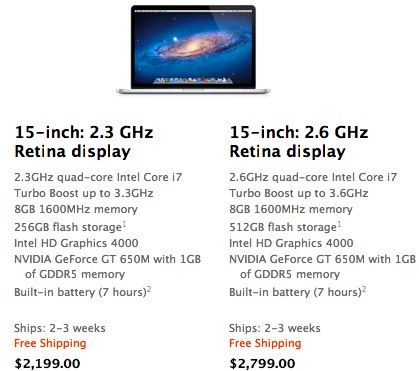
At first glance, when Apple introduced its new MacBook Pro with Retina display during its WWDC 2012 keynote, we thought it looked amazing, but that the price would make it a difficult choice for consumers. It looks like we were wrong. Lines have formed at multiple Apple Store locations around the country, and the Apple Store online is now showing a 2-3 week backorder on new Retina display MacBook Pro orders. Obviously, this product is in high demand, and your best bet is likely a trip to your local Apple Store. Anyone manage to snag one?
Mountain Lion’s Power Nap will keep your Mac updated and backed up while it sleeps
Posted by Andru Edwards Categories: Apple, PC / Laptop, Software,
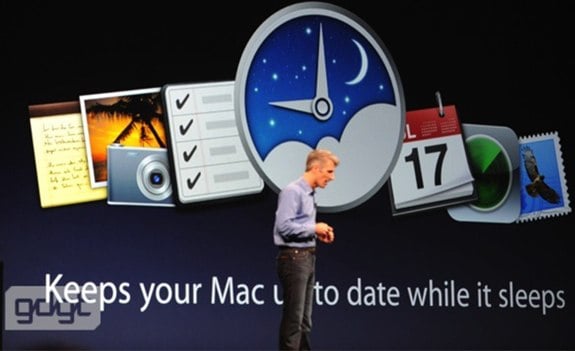
One cool new feature you can expect in OS X 10.8 Mountain Lion is Power Nap. Similar to Intel Smart Connect for Windows, Power Nap allows your Mac to keep itself updated and backed up while it sleeps. Your Mac email and calendars will stay updated, your Time Capsule backup will be performed, and even your system updates and Mac App Store updates will It syncs your computer's email, keeps track of calendars, syncs to Time Capsule, and downloads App Store and system software updates—all while your computer's asleep. One odd tidbit about this feature is that Power Nap only works with Macs that use flash SSD storage. So if you are rocking an HDD, you're out of luck on this one. Power Nap is one of many new features you can expect from Mountain Lion which will launch in July for $19.99.
Advertisement
Safari 6: Tab view, offline reading lists, iCloud tab syncing
Posted by Andru Edwards Categories: Apple, PC / Laptop, Software,
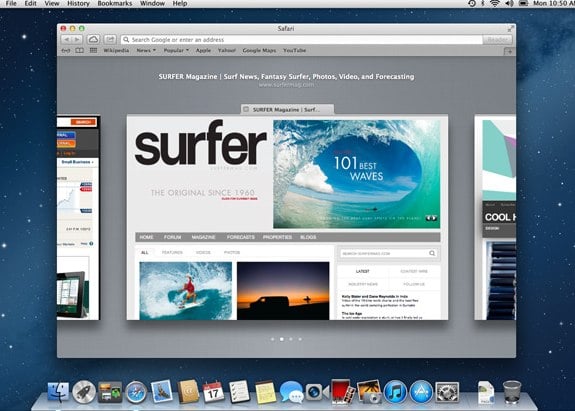
Today during the WWDC 2012 keynote, Apple revealed the major features that Safari 6.0 will bring with it in Mountain Lion. First, it was revealed that Safari 6 processes Javascript faster than any other browser. As for features, Apple is bringing a unified search URL bar to the browser, which is a very welcome addition. Reading List picks up an offline mode as we uncovered a few weeks ago. There's iCloud tab syncing, a feature that collects all the open tabs across all your devices, allowing for easy access from any of them. You pick up right where you left off. I've been playing with the feature for a few minutes, and it's actually way more convenient than I thought it would be. Lastly, you now have live tab view. On any page, you pinch the page and it zooms out, showing you an iOS-like view of all your open tabs. Swipe through them for a preview of the content, and click (or tap) to go to that tab. Safari 6.0 will ship as part of Mountain Lion in July.
Latest Gear Live Videos
Apple bringing Dictation to OS X Mountain Lion
Posted by Andru Edwards Categories: Apple, PC / Laptop, Software,
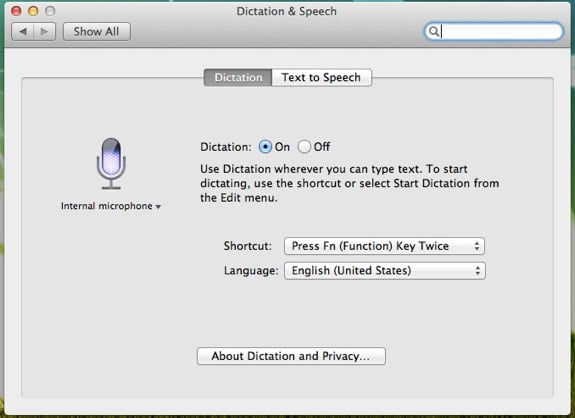
While many are wondering where Siri integration is as it pertains to OS X Mountain Lion, today Apple revealed that its next operating system will incorporate the Dictation feature that iOS enjoys into the desktop software during its WWDC 2012 keynote. Above is a screenshot of the OS X settings where you enable Dictation and choose how you want to invoke the feature. By default, you double-tap the Function key. We'll be testing the feature in the coming days, and we'll report back with our thoughts. Mountain Lion ships in July for $19.99.

If you draw anything like we do, attempting to put the pencil to paper to form a circle usually turns out in some sort of watermelon-shaped disaster. Until now. The video below offers a piece of advice that should allow anyone with at least two fingers to draw a perfect circle. It's actually pretty ingenius, really. You simply use one finger as the center point, and place the pencil on the paper similar to a compass. From there, you just rotate the page itself, rather than having to move your hand. Check the video to see how it's done.
[Photo: BigStockPhoto]
Click to continue reading How to draw a perfect circle without any tools
Apple releases Mountain Lion Developer Preview 4 to developers
Posted by Andru Edwards Categories: Apple, PC / Laptop, Software,
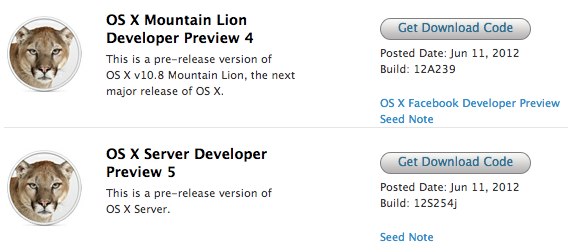
Alongisde the iOS 6 beta, Apple has also seeded OS X Mountain Lion Developer Preview 4, making it available in its Dev Center. This is a near-final version of Mountain Lion, and as such, there aren't many areas of concern listed in the seed note. It makes sense, since Mountain Lion will be released next month. If you're a Mac developer, you can grab build 12A239 now, as promised in the WWDC 2012 keynote.
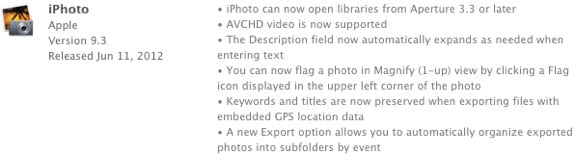
Apple has released an updated version of iPhoto '11, version 9.3, and you can download it now from the Mac App Store or Software Update. the update brings with it AVCHD support, the ability to open Aperture 3.3 or later libraries, and a few other ehancements. We're guessing it's also tooled to look fantastic on the new MacBook Pro with Retina display.
In iOS 6 you’ll be able to use FaceTime over cell networks
Posted by Andru Edwards Categories: Apple, Smartphones, Wireless / WiFi,

Beginning in iOS 6, you'll be able to use FaceTime over cellular networks. This feature was announced during the WWDC 2012 keynote and is a big deal because it means you can FaceTime with anyone, as long as you have a cell signal. You can be out and about getting your video chat on, and this will bring FaceTime out from the occassional use category and into something that may actually prove to be very useful.
Siri in iOS 6 brings sports, cinema, restaurant integration
Posted by Andru Edwards Categories: Apple, Smartphones, Handhelds, Software,
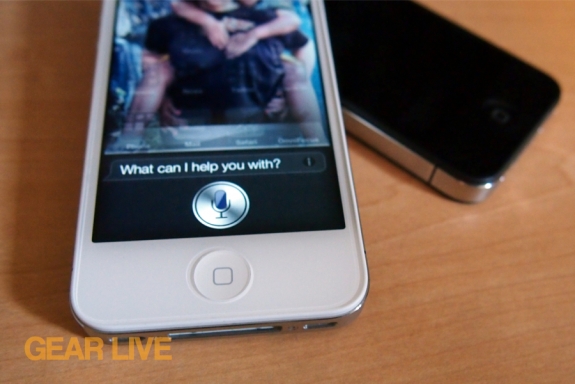
Apple's Siri hs learned a bunch of new tricks that it will be bringing with it alongside the launch of iOS 6 later this fall. During this morning's WWDC 2012 keynote, we got a look at a few of them. First, iOS chief Scott Forstall demo'd sports integration. Siri will now be able to tell you about recent sports scores, individual players, and even odd trivia (as an example, Siri was able to answer a question that asked who was taller between "LeBrone or Kobe".) Next, restaurant reviews and reservations. Through integration with OpenTable and Yelp, Siri can now show more details about restaurants, reviews, and pricing. In addition, you can tap to make a reservation right in the OpenTable app. Siri can also show you details about movies. You can get movies reviews from Siri thanks to a partnership with Rotten Tomatoes, movie trailers, as well as local showtimes. Siri can even show you movie catalog information. While all that is awesome, we are even more excited about the fact that Siri can now be used to do things like launch apps and post to Twitter.
All of this new Siri functionality will also come to the new third-generation iPad in iOS 6 as well, adding English and French tuned for Canada, Spanish tuned for Spain, Mexico, and the US, Korean, Mandarin tuned for Taiwan, Cantonese tuned for Hong Kong, and Mandarin and Cantonese tuned for China.

Apple released a refreshed line of 13- and 15-inch MacBook Pro notebooks durings its WWDC 2012 keynote this morning, sporting brand new Ivy Bridge processors. Additionally, the beautiful new 15.4-inch MacBook Pro with Retina display was revealed as well. One thing Phil Schiller didn't divulge from the stage was that the company has discontinued the 17-inch MacBook Pro model. From here on out, at least for the forseeable future, it's all about 13- and 15-inch notebooks if you're rocking a MacBook Pro notebook.








